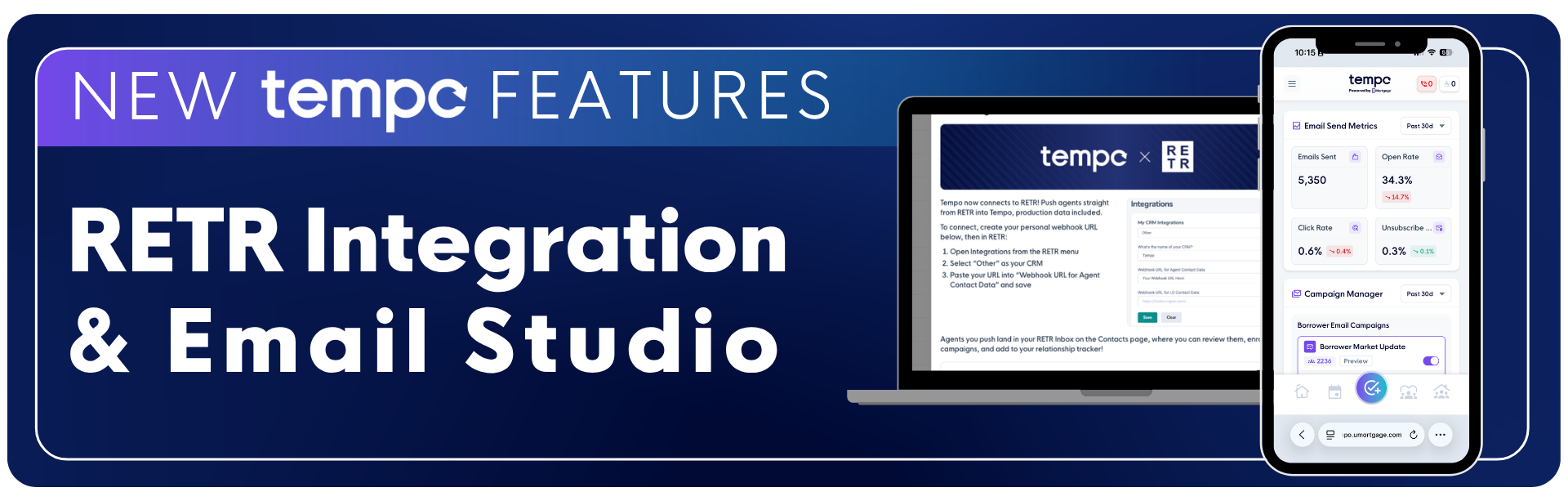
Tempo just launched two new enhancements to help you prospect smarter and gain deeper insights into your Tempo Email Campaigns.
Tempo's RETR integration and Email Studio are enhancements to the new Database Upload feature. Watch this video for a full walkthrough, or read below to learn more about each of these new features.
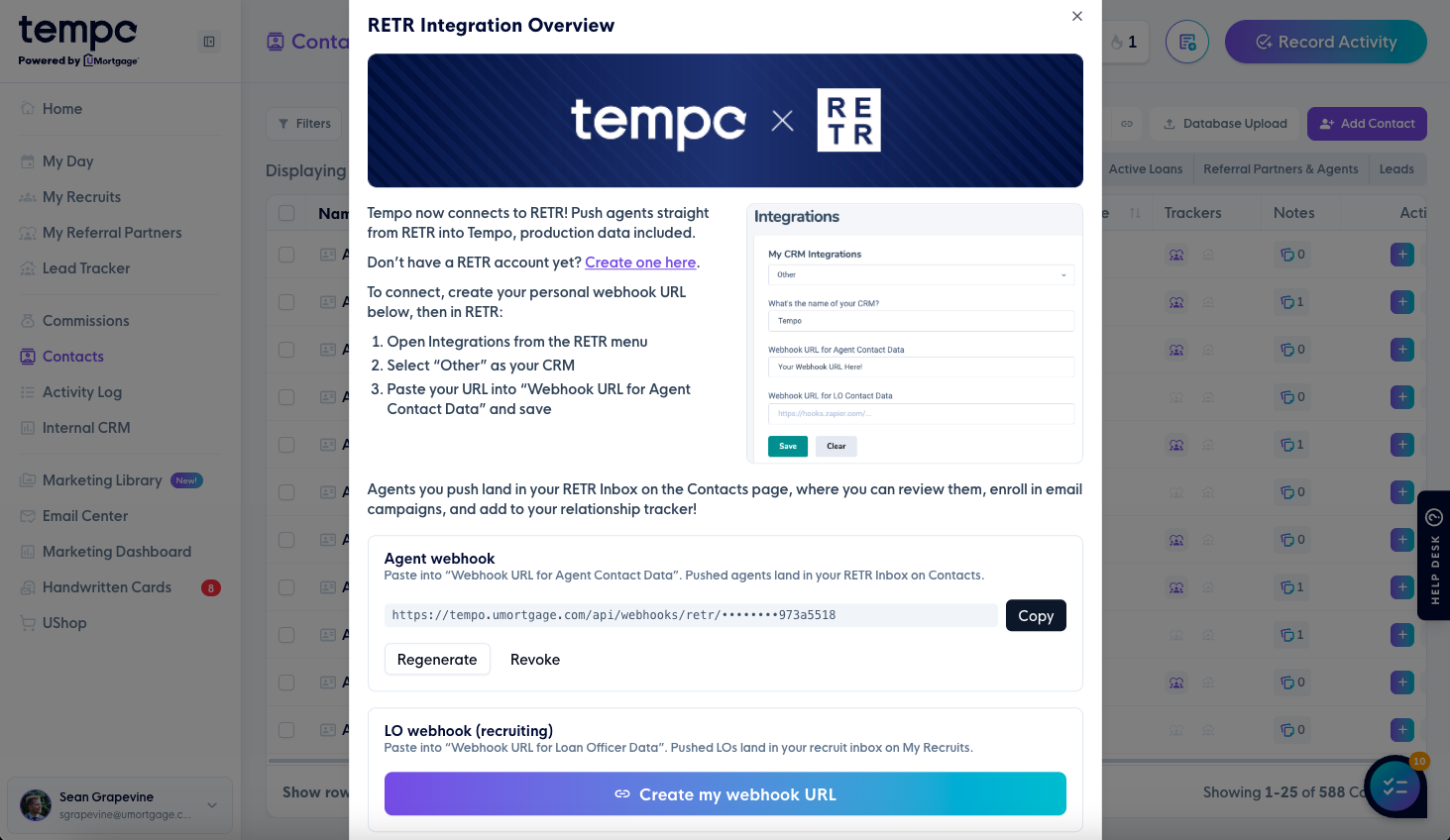
Say goodbye to spreadsheet uploads. Tempo now integrates directly with RETR, so agents you find through RETR land straight in your Contacts Suite. No exporting or reformatting needed.
Before anything hits your database, you'll get the chance to review each incoming agent, catch missing info or duplicates, and add them to an email campaign or your Relationship Tracker, all in a couple of clicks.
This feature lives in your Contacts Suite once you've connected your RETR account, and is available on desktop only. To set it up, click your profile picture at the bottom of the left sidebar, select RETR Integration, and follow the steps to connect. See the screenshots below for a walkthrough.
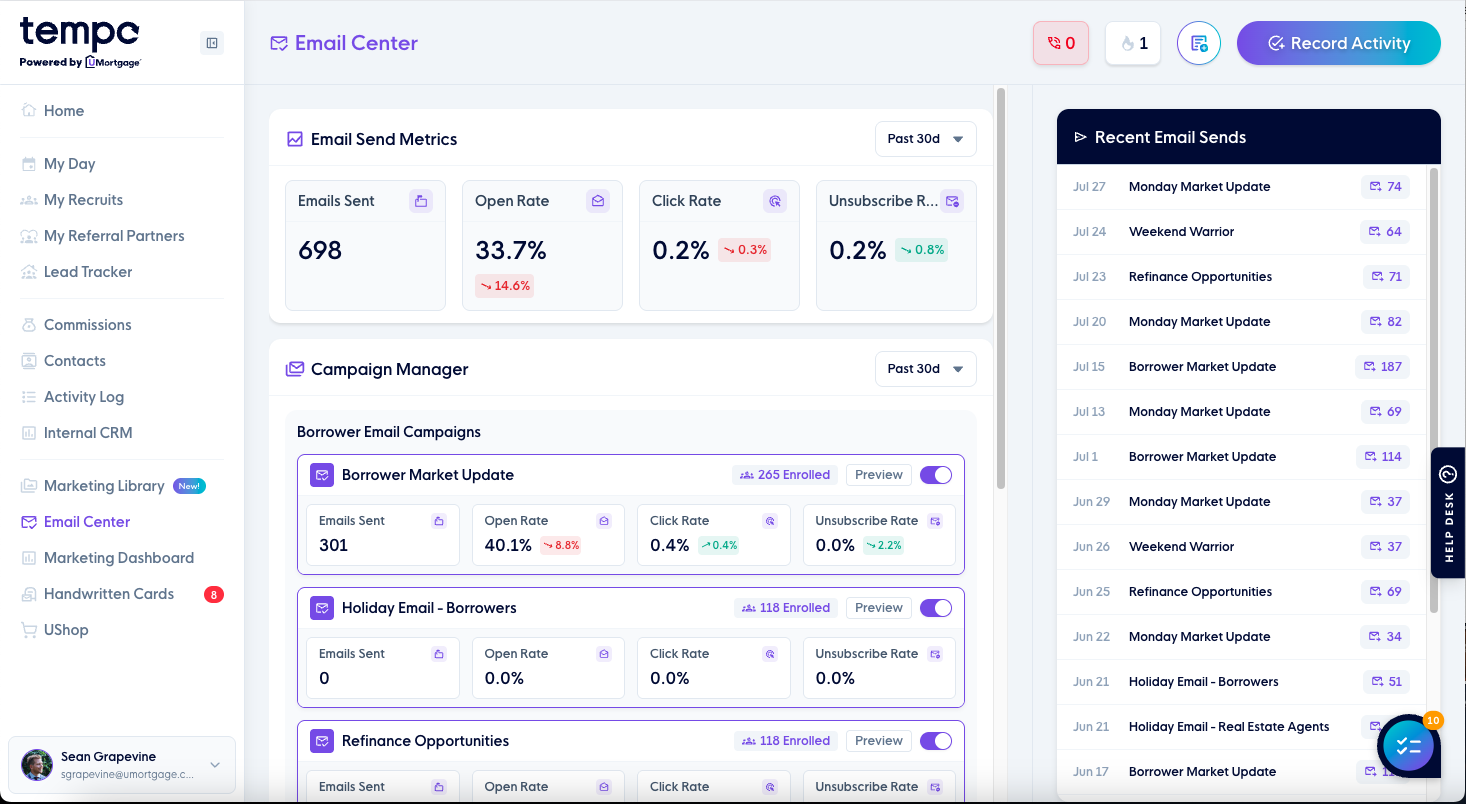
Introducing your new home base for Tempo Email Campaigns: the Email Center. See exactly which campaigns you're enrolled in, how many of your contacts are part of each one, and dig into the metrics that matter: emails sent, open rate, click rate, and unsubscribe rate, both at a campaign level and by individual email.
Want more detail? Click into any recent send to see exactly who received it, who opened it, and whether anything bounced, so you always know whose contact info needs updating.
You'll find Email Center in your left sidebar in Tempo. Click here or see the screenshots below to check it out.